Author: techwhispr

  • AI (Artificial Intelligence)

    AI (Artificial Intelligence)

    Artificial Intelligence

    Artificial Intelligence (AI) is a broad field that goes by many names, depending on the context, focus, or technology used.

    1. Synonyms for Artificial Intelligence

    AI is sometimes referred to as:

    • Machine Intelligence – emphasizes intelligence exhibited by machines.
    • Computational Intelligence – often used in research and academic contexts.
    • Cognitive Computing – focuses on systems that mimic human thought processes.
    • Intelligent Systems – a general term for systems capable of intelligent behavior.

    AI includes several specialized areas, such as:

    • Expert Systems – AI that uses rules and knowledge to make decisions.
    • Machine Learning (ML) – AI that learns patterns from data.
    • Deep Learning (DL) – AI that uses neural networks for complex problem-solving.
    • Natural Language Processing (NLP) – AI that understands and generates human language.
    • Robotics – AI applied to machines performing real-world tasks.

    3. Informal or Colloquial Names

    In everyday conversation, AI is sometimes called:

    • Smart Machines
    • Intelligent Agents – software that can act autonomously.
    • Automated Reasoning Systems

    Conclusion:
    AI is not just one technology—it’s a collection of intelligent systems, learning methods, and smart tools that can go by many names. Understanding these alternative terms helps you grasp the full scope of what AI can do.

  • Linux

    Linux

    The Complete Guide to Linux: The Engine of the Modern World

    In the vast, interconnected landscape of 21st-century computing, one name stands as the silent titan. It powers the smartphone in your pocket, the high-speed smart television in your living room, the flight controllers in the sky, and 100% of the world’s most powerful supercomputers. That name is Linux.

    While many casual users are only familiar with the consumer-facing interfaces of Windows or macOS, Linux is the foundational bedrock of the internet, cloud computing, and modern enterprise technology. It is the invisible force that keeps the modern world spinning. This comprehensive guide explores the depths of the Linux ecosystem and why it remains the most vital software project on the planet.


    1. The Birth of a Revolution: From a Hobby to Global Dominance

    To understand the power of Linux, we must look back to 1991. A Finnish student named Linus Torvalds was frustrated with the limitations of Minix, a small Unix-like system. He posted a now-famous message on a newsgroup, stating he was working on a free operating system as “just a hobby, won’t be big and professional like GNU.”

    Fast forward three decades, and that “hobby” has become the largest collaborative project in human history. Linux succeeded because it arrived at the perfect time—the dawn of the internet. It provided a free, stable alternative to expensive proprietary Unix systems, allowing startups and hobbyists to build the web without paying exorbitant licensing fees. Today, millions of developers contribute to its codebase, ensuring it stays ahead of the curve.

    2. What is Linux, Really?

    At its core, Linux is an operating system (OS). An OS is the primary software that manages all hardware resources associated with your computer. It acts as the translator between the hardware (the physical silicon and wires) and the software (the applications you run).

    The Anatomy of a Linux System

    Linux is modular, meaning it is built from several layers that can be swapped or modified:

    • The Bootloader: When you hit the power button, the bootloader (often GRUB) manages the transition from hardware initialization to the OS.
    • The Kernel: This is the “brain.” It manages the CPU, memory, and peripheral devices. It is the lowest level of software that interfaces with hardware.
    • Init System: This is the first process that starts after the kernel boots. It manages all other services (daemons). systemd is the modern standard.
    • Daemons: These are the invisible workers. They handle background tasks like printing, network connectivity, and time synchronization.
    • The Shell: This is the command-line interface (CLI). While it looks intimidating to beginners, it is the most efficient way to communicate with a computer.
    • Desktop Environment (DE): This is the graphical layer. Unlike Windows, which has one look, Linux offers many. You can choose GNOME for a modern feel or XFCE for speed.

    3. The Incredible Power of Open Source

    What truly sets Linux apart is that it is Open Source. In proprietary software (like Windows), the “source code” is a closely guarded secret.

    Linux is governed by the GNU General Public License (GPL). This transparency creates a virtuous cycle of security. When a vulnerability is found, thousands of developers worldwide can see it and patch it immediately. In the proprietary world, you must wait for a corporation to acknowledge the bug and release a fix on their own timeline. This collaborative nature is why Linux evolves at a pace that massive companies rarely match.

    4. Stability That Borders on the Supernatural

    Linux is legendary for its “uptime.” In the Windows world, we are accustomed to the “Patch Tuesday” reboot or the occasional system crash. In contrast, Linux servers in data centers often run for 5 to 10 years without a single reboot.

    This is because Linux is modular. You can update almost any part of the system—even the kernel itself using “Livepatch” technology—without stopping the machine. This reliability is why the New York Stock Exchange and the Tokyo Stock Exchange run on Linux. When billions of dollars are at stake, you don’t trust a system that might decide to update and reboot in the middle of a trading session.


    5. Security: A Fortress Built by Transparency

    Is Linux virus-proof? No. But its architecture makes it significantly more secure than its competitors.

    • Permissions: In Linux, users do not have “Root” (administrative) privileges by default. To install a program or change a system setting, you must explicitly use a command like sudo.
    • No Backdoors: Because the code is public, it is nearly impossible for a government or corporation to hide a “backdoor” to spy on users without someone in the community noticing.
    • Repository Model: Instead of downloading .exe files from random websites, Linux users use “Package Managers.” This is like an App Store where software is vetted by community maintainers.

    6. Total Flexibility: From Toasters to Mars

    One of the most incredible aspects of Linux is its scalability.

    • The Small: Linux can be stripped down to a few megabytes to run on a smart lightbulb or a Raspberry Pi.
    • The Large: It can be scaled up to manage the 500 fastest supercomputers on Earth.
    • The Extreme: When NASA sent the Perseverance Rover to Mars, they chose Linux to power the Ingenuity Helicopter. Linux is literally the first OS to achieve powered flight on another planet.

    7. The Distro Ecosystem: A Version for Everyone

    Because Linux is free to modify, hundreds of “Distributions” (or Distros) exist. Choosing a distro is like choosing a car: they all have engines, but they are built for different terrains.

    DistributionBest ForKey Feature
    UbuntuBeginnersUser-friendly, massive community support.
    DebianStability & ServersKnown as the “Universal OS,” extremely stable.
    Redhat(Fedora)DevelopersCutting-edge features; “bleeding edge” software.
    Kali LinuxCybersecurityPre-packed with tools for penetration testing.
    Arch LinuxAdvanced UsersA “do-it-yourself” distro built from scratch.

    8. Why Linux is the King of the Internet

    Every time you open a browser, you are interacting with Linux.

    • Web Servers: Over 70% of web servers run Linux. The “LAMP” stack (Linux, Apache, MySQL, PHP) is the classic foundation for web hosting.
    • The Cloud: When you use “The Cloud” (AWS, Google Cloud, Azure), you are just using someone else’s Linux server. Even Microsoft Azure now hosts more Linux virtual machines than Windows ones.
    • Mobile Technology: Android is built on top of the Linux kernel. If you have an Android phone, you are carrying a Linux machine in your pocket.

    9. Breaking the Hardware Chains

    Proprietary operating systems often have “planned obsolescence.” As Windows 11 or macOS evolves, they require newer, faster hardware, forcing perfectly good computers into landfills.

    Linux is the ultimate “e-waste” fighter. Because it is so efficient with resources, a lightweight distribution like Lubuntu or Puppy Linux can turn a 12-year-old laptop into a snappy, functional machine for web browsing and office work. It breathes new life into hardware that the corporate world has abandoned.


    10. Linux in the Professional World: DevOps and Beyond

    In the professional world, Linux is the “lingua franca” of technology.

    The Rise of DevOps

    DevOps is the practice of combining software development and IT operations. Linux is the heart of this movement. Tools like Docker and Kubernetes allow developers to “containerize” applications—wrapping them in a small piece of a Linux environment so they run the same way on any machine, whether it’s a developer’s laptop or a massive cloud server.

    The Power of the Command Line (CLI)

    While Windows users rely on a Graphical User Interface (GUI), Linux power users use the Terminal. The command line allows for incredible automation through “shell scripting.” Tasks that would take hours to do manually in a GUI can be done in seconds with a single script. For example, a single command can search through thousands of text files, extract specific data, and format it into a report instantly.


    Linux vs. Other Operating Systems: A Quick Comparison

    How does Linux stack up against the competition?

    • Linux vs. Windows: Windows is designed for ease of use and has the best support for AAA gaming and specialized creative suites (like Adobe). Linux is more secure, faster, and gives the user total control over their data and privacy.
    • Linux vs. macOS: macOS is actually a distant cousin of Linux (both are Unix-like). However, macOS is a “walled garden”—it only runs on expensive Apple hardware. Linux can run on almost any device and is entirely open-source and free.

    Getting Started: The “Live” Experience

    One of the coolest things about Linux is that you can try it without even installing it. Most distributions offer a “Live USB” mode. You can plug a flash drive into your current computer, reboot, and run Linux directly from the drive. It won’t touch your hard drive or delete your files, allowing you to “test drive” the OS before committing.

    The Learning Curve: Is It Worth It?

    Is Linux hard to learn? It can be. Because it offers so much control, it expects the user to have a bit more curiosity. However, modern distributions like Linux Mint or Ubuntu are so polished that someone with zero technical skills can use them to browse the web, check email, and write documents without ever seeing a line of code.

    For those who do choose to learn the “Linux way,” the rewards are immense. You gain a deeper understanding of how computers actually work, you gain highly marketable skills in the IT industry, and you gain the freedom to customize your digital life exactly how you want it.


    Conclusion: The Future is Open

    Linux is more than just an operating system; it is a philosophy of collaboration, transparency, and freedom. It has democratized technology, allowing anyone with a computer to access the same high-powered tools used by NASA, Google, and CERN.

    As we move further into the eras of Artificial Intelligence, Edge Computing, and 5G, Linux will continue to be the foundation upon which the future is built. AI models are trained on Linux clusters, and the smart cities of tomorrow will be managed by Linux-based sensors.

    The engine of the world is running on Linux—perhaps it’s time you took a look under the hood. Whether you are looking to start a career in IT, protect your digital privacy, or simply want a faster computer, Linux offers a world of possibilities that proprietary systems simply cannot match.

  • Introduction to Programming Language

    Introduction to Programming Language

    Table of Contents

    1. Introduction
    2. What Are Programming Languages?
    3. Low-Level Programming Languages
    4. High-Level Programming Languages
    5. Procedural Programming Languages
    6. Object-Oriented Programming Languages
    7. Scripting Programming Languages
    8. Functional Programming Languages
    9. Markup and Domain-Specific Programmin Languages
    10. Comparison Table
    11. Why Understanding Language Types Matters
    12. Conclusion

    Programming languages are the foundation of modern software development. From operating systems and mobile applications to websites and artificial intelligence, every digital solution relies on a specific programming language or a combination of them.

    Understanding the types of programming languages helps beginners choose the right technology and allows professionals to work more efficiently. Each language category is designed with a specific purpose, structure, and level of abstraction.

    This article explains the major classifications of programming languages in a simple, structured, and beginner-friendly way.


    What Are Programming Languages?

    A programming language is a formal way to communicate instructions to a computer. These instructions tell the machine how to process data, make decisions, and perform tasks.

    Different languages exist because no single language can efficiently solve all problems. Some are closer to hardware, while others focus on readability, automation, or specific domains like web development.


    1. Low-Level Programming Languages

    Low-level languages are closely connected to computer hardware. They offer high performance and control, but are difficult for humans to read and write.

    Characteristics

    • Hardware-dependent
    • Faster execution
    • Minimal abstraction

    Examples

    • Machine Language – Uses binary (0s and 1s)
    • Assembly Language – Uses symbolic instructions

    📌 These languages are mainly used in system programming and embedded systems.
    Alt text: Low-level programming close to hardware


    2. High-Level Programming Languages

    High-level languages are designed to be human-friendly. They hide hardware complexity and focus on readability and productivity.

    Characteristics

    • Easy syntax
    • Platform-independent
    • Faster development

    Examples

    • Python
    • Java
    • C++
    • JavaScript

    High-level languages are widely used in web development, data science, mobile apps, and enterprise software.


    3. Procedural Programming Languages

    Procedural languages follow a step-by-step execution model. Programs are divided into procedures or functions that perform specific tasks.

    Key Features

    • Sequential execution
    • Uses functions and procedures
    • Clear program flow

    Examples

    • C
    • Fortran
    • Pascal

    These languages are ideal for structured problem-solving and system-level programming.


    4. Object-Oriented Programming Languages

    Object-oriented programming (OOP) organizes code using objects that represent real-world entities. This approach improves code reuse and scalability.

    Core Concepts

    • Classes and objects
    • Inheritance
    • Encapsulation
    • Polymorphism

    Examples

    • Java
    • C++
    • Python

    OOP languages are widely used in large software systems and application development.


    5. Scripting PROGRAMMING Languages

    Scripting languages are often used to automate tasks, handle web logic, and perform rapid development.

    Advantages

    • Interpreted execution
    • Quick development
    • Flexible syntax

    Examples

    • Python
    • JavaScript
    • PHP
    • Ruby

    These languages play a major role in web development and automation.


    6. Functional Programming Languages

    Functional languages focus on mathematical functions and avoid changing data states. This leads to predictable and error-resistant programs.

    Characteristics

    • Immutable data
    • Pure functions
    • High reliability

    Examples

    • Haskell
    • Lisp
    • Erlang

    Functional programming is commonly used in concurrent and data-intensive systems.


    7. Markup and Domain-Specific PROGRAMMING Languages

    These languages are created for specific tasks rather than general programming.

    Common Uses

    • Web structure
    • Database management
    • Styling and formatting

    Examples

    • HTML – Web page structure
    • CSS – Page styling
    • SQL – Database queries

    Although not general-purpose, they are essential in modern development.


    Comparison Table

    Language TypeDifficultyPerformanceCommon Use
    Low-LevelHighVery HighHardware, OS
    High-LevelLowMediumApps, Web
    ProceduralMediumHighSystem logic
    Object-OrientedMediumHighEnterprise apps
    ScriptingLowMediumAutomation
    FunctionalHighHighConcurrent systems
    Domain-SpecificLowMediumWeb & databases

    Why Understanding Programming Language Types Matters

    Knowing the types of programming languages helps you:

    • Choose the right language for your goals
    • Learn faster with less confusion
    • Build scalable and efficient software
    • Understand how modern technologies work

    For beginners, this knowledge creates a strong foundation for future learning.

    Internal reference example:
    Read more in our Programming Basics Guide

    External DoFollow reference:
    Learn more from GeeksforGeeks programming language overview


    Conclusion

    Programming languages are diverse because the problems they solve are diverse. Each category serves a unique purpose, from hardware control to web design and automation.

    By understanding the different language classifications, learners and developers can make better decisions, improve efficiency, and grow confidently in their programming journey.

    Mastering the basics of language types is the first powerful step toward becoming a skilled programmer.

  • Daily Use of Artificial Intelligence in Modern Life

    Daily Use of Artificial Intelligence in Modern Life

    Table of Contents

    1. Introduction
    2. Understanding Artificial Intelligence in Modern Life
    3. AI in Communication and Personal Technology
    4. AI in Education and Learning
    5. AI in Healthcare and Wellness
    6. AI in Business and the Workplace
    7. AI in E-Commerce and Retail
    8. AI in Transportation and Navigation
    9. AI in Entertainment and Media
    10. AI in Finance and Banking
    11. AI in Smart Homes and Daily Living
    12. Ethical Challenges and Responsible AI Use
    13. The Future of AI in Everyday Life
    14. Conclusion

    Introduction

    Artificial intelligence has rapidly evolved from a futuristic concept into a practical technology embedded in everyday experiences. Artificial Intelligence in Modern Life is no longer limited to laboratories or tech companies—it actively shapes how people communicate, learn, work, shop, travel, and manage their health.

    From unlocking smartphones using facial recognition to receiving personalized content recommendations, AI systems operate quietly in the background, improving efficiency and convenience. By analyzing massive amounts of data and learning from patterns, AI enables machines to perform tasks that traditionally required human intelligence.

    This article explores how artificial intelligence impacts modern life across various sectors, highlighting its benefits, applications, and the responsibilities that come with its widespread adoption.


    Understanding Artificial Intelligence in Modern Life

    Artificial intelligence refers to computer systems designed to simulate human intelligence processes such as learning, reasoning, problem-solving, and decision-making. These systems rely on technologies like machine learning, natural language processing, and computer vision.

    In modern society, AI is integrated into tools and platforms people use daily. Whether consciously or not, individuals interact with intelligent systems multiple times a day, making AI an essential component of contemporary living.
    Alt text: Artificial Intelligence in Modern Life improving daily activities


    AI in Communication and Personal Technology

    Smartphones and Digital Assistants

    Smartphones are among the most common examples of AI-powered devices. Features such as facial recognition, voice commands, predictive typing, and camera enhancements are driven by artificial intelligence.

    Virtual assistants use advanced language processing to understand spoken commands and provide relevant responses. They help users schedule appointments, set reminders, search information, and manage smart home devices. Over time, these assistants learn user preferences, offering increasingly personalized interactions.

    Email and Messaging Platforms

    AI enhances digital communication by filtering spam, detecting phishing attempts, and prioritizing important messages. Smart reply features analyze message context to suggest quick responses, saving time and effort.

    Email platforms also use AI to organize inboxes into categories, improving productivity and reducing information overload.


    AI in Education and Learning

    Personalized Learning Experiences

    Educational platforms increasingly rely on AI to deliver customized learning paths. By analyzing student performance and engagement, AI systems adapt content difficulty and pacing to match individual needs.

    This personalization helps students grasp concepts more effectively and encourages continuous learning, regardless of location or background.

    Automated Assessment and Feedback

    AI-powered assessment tools automate grading for quizzes and assignments, providing instant feedback. This allows learners to identify strengths and weaknesses quickly while reducing teachers’ administrative workload.

    AI is also used to detect plagiarism and improve content evaluation, supporting academic integrity.

    Internal resource:
    Learn more about educational technology on our guide to digital learning solutions


    AI in Healthcare and Wellness

    Medical Diagnosis and Decision Support

    Healthcare is one of the most impactful areas of artificial intelligence adoption. AI systems analyze medical images, patient records, and test results to assist doctors in diagnosing diseases more accurately.

    These systems help identify patterns that might be overlooked by humans, improving early detection and treatment planning.

    Wearable Health Technology

    Wearable devices such as fitness trackers and smartwatches use AI to monitor physical activity, sleep cycles, heart rate, and stress levels. Users receive personalized health insights that encourage healthier habits.

    AI can also detect abnormal patterns and alert users to potential health risks before they become serious.

    Mental Health Applications

    AI-powered mental health apps offer guided meditation, mood tracking, and chatbot-based support. While not a replacement for professional care, these tools increase access to mental health resources and promote emotional well-being.

    External reference (DoFollow):

    Learn about AI in healthcare from World Health Organization resources


    AI in Business and the Workplace

    Automation of Routine Tasks

    In modern workplaces, AI automates repetitive tasks such as data entry, scheduling, invoice processing, and customer inquiries. Automation improves efficiency and allows employees to focus on creative and strategic work.

    Data Analysis and Strategic Decisions

    AI-driven analytics tools process large datasets to uncover trends and insights. Businesses use these insights for market analysis, customer behavior prediction, and performance optimization.

    Predictive models help organizations plan for future scenarios and reduce risks.

    Human Resources and Recruitment

    AI assists in resume screening, candidate matching, interview scheduling, and employee performance analysis. When used responsibly, these systems improve hiring efficiency and reduce unconscious bias.


    AI in E-Commerce and Retail

    Personalized Shopping Experiences

    Online retailers rely on AI-powered recommendation systems to suggest products based on user behavior. This personalization increases customer satisfaction and conversion rates.

    Dynamic pricing models also use AI to adjust prices based on demand, competition, and consumer trends.

    Inventory and Supply Chain Management

    AI optimizes inventory levels by predicting demand patterns. Retailers reduce waste, prevent stock shortages, and improve logistics efficiency through intelligent supply chain systems.


    AI in Transportation and Navigation

    Smart Navigation Systems

    Navigation apps use AI to analyze real-time traffic data and suggest optimal routes. These systems help users save time, reduce fuel consumption, and avoid congestion.

    Ride-Sharing and Mobility Services

    Ride-hailing platforms depend on AI for route optimization, pricing strategies, and driver-passenger matching. Safety monitoring and demand forecasting further enhance user experience.

    Autonomous and Assisted Driving

    AI powers advanced driver-assistance features such as lane detection, collision avoidance, and adaptive cruise control. These technologies improve road safety and pave the way for autonomous vehicles.


    AI in Entertainment and Media

    Content Recommendation Engines

    Streaming platforms use AI algorithms to recommend movies, music, and shows based on viewing history. Personalized content keeps users engaged and enhances satisfaction.

    Content Creation and Editing Tools

    AI assists creators with photo enhancement, video editing, music composition, and writing support. These tools streamline production while maintaining creative flexibility.

    Gaming and Virtual Worlds

    AI improves gaming experiences through intelligent non-player characters, adaptive difficulty levels, and immersive virtual environments.


    AI in Finance and Banking

    Fraud Detection and Security

    Financial institutions use AI to detect suspicious transactions in real time. Pattern recognition helps prevent fraud and protect sensitive customer information.

    Digital Banking Services

    AI supports credit scoring, loan approvals, and personalized financial advice. Budgeting apps analyze spending patterns and offer tailored recommendations.

    External reference (DoFollow):
    Explore AI in finance on IBM’s AI insights platform


    AI in Smart Homes and Daily Living

    Home Automation

    Smart home systems use AI to manage lighting, heating, appliances, and security. These systems learn user habits and adjust settings automatically for comfort and efficiency.

    Energy Optimization and Sustainability

    AI analyzes energy usage patterns to reduce waste and lower costs. Smart grids and energy management systems contribute to environmental sustainability.

    Security and Surveillance

    AI-powered cameras and security systems use facial recognition and motion detection to enhance safety in homes and communities.


    Ethical Challenges and Responsible AI Use

    Despite its benefits, Artificial Intelligence in Modern Life raises concerns about data privacy, algorithmic bias, transparency, and job displacement. Responsible AI development requires ethical guidelines, regulations, and human oversight.

    Balancing innovation with accountability is essential to building trust and ensuring fair use of intelligent systems.


    The Future of AI in Everyday Life

    As AI technology continues to evolve, its role in daily life will expand further. Future applications may include more advanced healthcare diagnostics, fully autonomous transportation, and highly personalized digital environments.

    Understanding AI empowers individuals and organizations to adapt, innovate, and thrive in an increasingly intelligent world.


    Conclusion

    Artificial intelligence has become a foundational element of modern society. From communication and education to healthcare, business, and entertainment, Artificial Intelligence in Modern Life enhances efficiency, personalization, and decision-making.

    While challenges remain, responsible development and ethical implementation can ensure that AI continues to improve the quality of life. As technology advances, embracing AI with awareness and balance will shape a smarter, more connected future.

  • Types of Linux Flavours

    Types of Linux Flavours

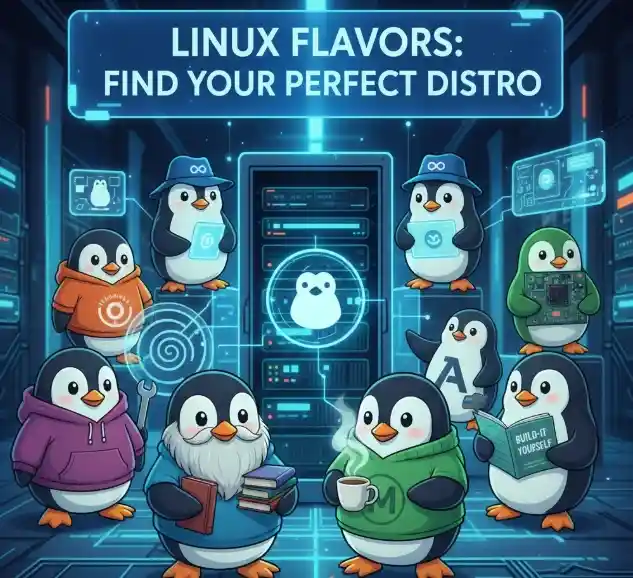
    Linux is a popular and powerful operating system used all over the world. It is different from other operating systems because it is open source, which means anyone can see, use, modify, and share its source code freely. Due to this open nature, many developers and organisations have created different versions of Linux. These versions are called Linux flavours or Linux distributions.

    Each Linux flavour is made for a specific purpose. Some are designed for beginners, some for servers and businesses, some for developers, and others for special tasks like cybersecurity or multimedia work. In this blog, we will learn about the main types of Linux flavours in simple words.


    What Is a Linux Flavour?

    A Linux flavour is a complete operating system that includes:

    • The Linux kernel
    • System tools and libraries
    • A desktop environment
    • Pre-installed software

    All Linux flavours use the same kernel, but they look different and work differently. The main differences are in the user interface, speed, software management, and target users.


    Debian-Based Linux Flavours

    Debian-based Linux flavours are known for stability and ease of use. They are widely used by beginners, students, and professionals.

    Debian

    Debian is one of the oldest Linux distributions. It is very stable and secure. Because of this, it is mostly used on servers and systems that need long-term reliability. Debian does not always include the latest software, but it works very smoothly.

    Ubuntu

    Ubuntu is the most popular Linux flavour for beginners. It is easy to install, easy to use, and has strong community support. Ubuntu is used on desktops, servers, cloud platforms, and even mobile devices. Its Long-Term Support (LTS) versions are very popular in colleges and companies.

    Linux Mint

    Linux Mint is based on Ubuntu and is designed for users who are switching from Windows. It has a familiar look, good performance, and useful software already installed. Linux Mint is a great choice for beginners and home users.


    Red Hat–Based Linux Flavours

    Red Hat–based Linux distributions are mainly used in business and enterprise environments.

    Red Hat Enterprise Linux (RHEL)

    RHEL is a commercial Linux operating system used by large companies. It offers high security, stability, and long-term support. Many banks, government offices, and big organisations use RHEL for servers.

    CentOS Stream

    CentOS Stream is related to RHEL and is free to use. It is popular among system administrators and developers who want enterprise-level performance without paying for licenses.

    Fedora

    Fedora is a modern and fast Linux flavour supported by Red Hat. It includes the latest software and features. Fedora is mainly used by developers and advanced users who like new technology.


    Arch-Based Linux Flavours

    Arch-based Linux distributions are known for speed, simplicity, and customisation.

    Arch Linux

    Arch Linux is made for experienced users. It does not come with a graphical installer, so users must install and configure everything manually. This gives full control over the system, but it is not recommended for beginners.

    Manjaro

    Manjaro is based on Arch Linux but is easier to use. It has a graphical installer and good hardware support. Manjaro is suitable for users who want the power of Arch with less difficulty.


    SUSE-Based Linux Flavours

    SUSE-based Linux distributions are used in professional and enterprise systems.

    openSUSE

    openSUSE is a free and community-driven Linux distribution. It comes in two versions: Leap (stable) and Tumbleweed (latest updates). It includes powerful system tools and is used by developers and professionals.

    SUSE Linux Enterprise

    This Linux flavour is designed for business use. It provides strong security, stability, and professional support for large organisations.


    Lightweight Linux Flavours

    Lightweight Linux distributions are designed for old or low-spec computers.

    Lubuntu

    Lubuntu is based on Ubuntu but uses fewer system resources. It is fast and works well on older computers.

    Xubuntu

    Xubuntu is another lightweight Ubuntu-based system. It uses the XFCE desktop environment and provides good performance with a simple interface.

    Puppy Linux

    Puppy Linux is very small and can run from RAM. It is often used for testing, system repair, or very old computers.


    Specialised Linux Flavours

    Some Linux flavours are made for specific tasks.

    Kali Linux

    Kali Linux is used for ethical hacking and cybersecurity. It comes with many security tools and is mainly used by professionals and students learning cybersecurity.

    Parrot OS

    Parrot OS focuses on privacy and security. It is lighter than Kali Linux and suitable for both beginners and professionals.

    Ubuntu Studio

    Ubuntu Studio is made for creative work. It includes tools for music production, video editing, and graphic design.


    Conclusion

    Linux flavours give users many choices based on their needs and experience level. Beginners can start with Ubuntu or Linux Mint. Developers and advanced users may prefer Fedora or Arch Linux. Businesses rely on Red Hat and SUSE Linux for servers. Lightweight distributions help old computers work faster, and special flavours like Kali Linux are used for cybersecurity.

    Because Linux is free, flexible, and secure, it continues to grow in popularity. Choosing the right Linux flavour depends on your purpose, system requirements, and skill level. With so many options available, Linux truly offers something for everyone.